TreeMap in Java
Author by Manikandan S - 23rd October 2026
1. Introduction to TreeMap
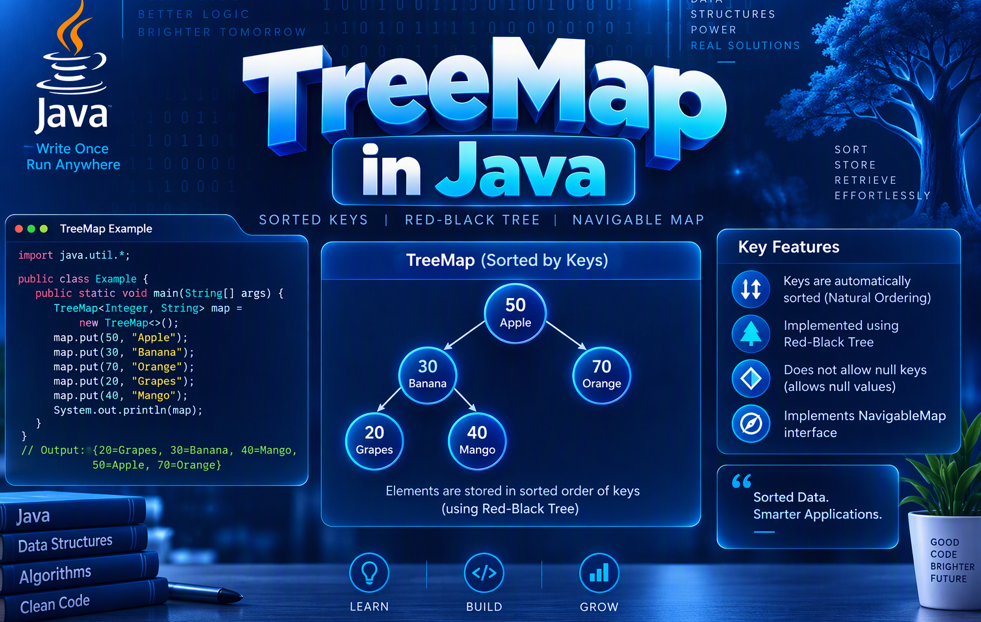
TreeMap is a Java class that implements the NavigableMap interface. It stores key-value pairs sorted by keys.
Syntax
TreeMap<KeyType, ValueType> map = new TreeMap<>();
Example
import java.util.TreeMap;

public class Main {
    public static void main(String[] args) {
        TreeMap<Integer, String> students = new TreeMap<>();

        students.put(3, "Mani");
        students.put(1, "Arun");
        students.put(2, "Priya");

        System.out.println(students);
    }
}
Output:
{1=Arun, 2=Priya, 3=Mani}
2. Creating a TreeMap
Creates an empty TreeMap.
TreeMap<String, Integer> scores = new TreeMap<>();
3. Adding Elements Using put()
The put() method adds or updates a key-value pair.
TreeMap<Integer, String> map = new TreeMap<>();

map.put(2, "Java");
map.put(1, "Python");
map.put(2, "Spring Boot");

System.out.println(map); // {1=Python, 2=Spring Boot}
4. Accessing Values Using get()
The get() method returns the value associated with a key.
TreeMap<Integer, String> map = new TreeMap<>();
map.put(1, "Java");

System.out.println(map.get(1)); // Java
5. Checking Keys Using containsKey()
Checks whether a key exists.
TreeMap<Integer, String> map = new TreeMap<>();
map.put(1, "Java");

System.out.println(map.containsKey(1)); // true
6. Checking Values Using containsValue()
Checks whether a value exists.
TreeMap<Integer, String> map = new TreeMap<>();
map.put(1, "Java");

System.out.println(map.containsValue("Java")); // true
7. Removing Elements Using remove()
Removes an entry using its key.
TreeMap<Integer, String> map = new TreeMap<>();
map.put(1, "Java");
map.put(2, "Python");

map.remove(1);

System.out.println(map); // {2=Python}
8. Updating Values Using replace()
Updates the value of an existing key.
TreeMap<Integer, String> map = new TreeMap<>();
map.put(1, "Java");

map.replace(1, "Spring Boot");

System.out.println(map.get(1)); // Spring Boot
9. Finding the Size Using size()
Returns the number of key-value pairs.
TreeMap<Integer, String> map = new TreeMap<>();
map.put(1, "Java");
map.put(2, "Python");

System.out.println(map.size()); // 2
10. Checking Whether a TreeMap Is Empty
The isEmpty() method checks whether the map has any entries.
TreeMap<String, Integer> map = new TreeMap<>();

System.out.println(map.isEmpty()); // true
11. Removing All Entries Using clear()
Removes every key-value pair.
TreeMap<Integer, String> map = new TreeMap<>();
map.put(1, "Java");

map.clear();

System.out.println(map); // {}
12. Iterating Through a TreeMap
Use entrySet() to access keys and values in sorted-key order.
TreeMap<Integer, String> map = new TreeMap<>();
map.put(3, "C");
map.put(1, "Java");
map.put(2, "Python");

for (var entry : map.entrySet()) {
    System.out.println(entry.getKey() + " = " + entry.getValue());
}
Output:
1 = Java
2 = Python
3 = C
13. Getting All Keys and Values
Use keySet() for keys and values() for values.
TreeMap<Integer, String> map = new TreeMap<>();
map.put(2, "Python");
map.put(1, "Java");

System.out.println(map.keySet()); // [1, 2]
System.out.println(map.values()); // [Java, Python]
14. Finding the First and Last Entries
The firstKey() and lastKey() methods return the smallest and largest keys.
TreeMap<Integer, String> map = new TreeMap<>();
map.put(10, "Java");
map.put(20, "Python");
map.put(30, "C++");

System.out.println(map.firstKey()); // 10
System.out.println(map.lastKey());  // 30
15. Using lowerKey(), higherKey(), floorKey() and ceilingKey()
These methods find keys relative to a specified key.
TreeMap<Integer, String> map = new TreeMap<>();
map.put(10, "A");
map.put(20, "B");
map.put(30, "C");

System.out.println(map.lowerKey(20));   // 10
System.out.println(map.higherKey(20));  // 30
System.out.println(map.floorKey(20));   // 20
System.out.println(map.ceilingKey(25)); // 30
lowerKey()— greatest key strictly below the given key.higherKey()— smallest key strictly above the given key.floorKey()— greatest key less than or equal to the given key.ceilingKey()— smallest key greater than or equal to the given key.
16. Sorting Entries in Descending Order
The descendingMap() method returns a reverse-order view of the map.
TreeMap<Integer, String> map = new TreeMap<>();
map.put(1, "Java");
map.put(2, "Python");
map.put(3, "C++");

System.out.println(map.descendingMap());
// {3=C++, 2=Python, 1=Java}
17. Does TreeMap Allow Duplicate Keys and Values?
TreeMap does not allow duplicate keys, but different keys can have the same value.
TreeMap<Integer, String> map = new TreeMap<>();

map.put(1, "Java");
map.put(2, "Java");
map.put(1, "Python");

System.out.println(map); // {1=Python, 2=Java}
18. Does TreeMap Allow Null Keys and Values?
A TreeMap using natural key ordering does not allow null keys. It allows null values.
TreeMap<Integer, String> map = new TreeMap<>();

map.put(1, null);
map.put(2, "Java");

// map.put(null, "Python"); // Throws NullPointerException

System.out.println(map); // {1=null, 2=Java}
19. TreeMap vs HashMap vs LinkedHashMap
| Feature | TreeMap | HashMap | LinkedHashMap |
|---|---|---|---|
| Data | Key-value pairs | Key-value pairs | Key-value pairs |
| Order | Sorted by key | Not guaranteed | Insertion order by default |
| Null key | Not with natural ordering | One allowed | One allowed |
| Typical get/put | O(log n) | Average O(1) | Average O(1) |
20. Important TreeMap Methods
| Method | Purpose |
|---|---|
put() |
Adds or updates an entry |
get() |
Retrieves a value |
remove() |
Removes an entry |
containsKey() |
Checks a key |
containsValue() |
Checks a value |
firstKey() |
Returns the smallest key |
lastKey() |
Returns the largest key |
lowerKey() |
Finds a lower key |
higherKey() |
Finds a higher key |
floorKey() |
Finds a key less than or equal to a value |
ceilingKey() |
Finds a key greater than or equal to a value |
descendingMap() |
Returns a reverse-order view |
keySet() |
Returns the keys |
values() |
Returns the values |
entrySet() |
Returns key-value entries |
clear() |
Removes all entries |
21. Time Complexity of TreeMap
| Operation | Time Complexity |
|---|---|
put() |
O(log n) |
get() |
O(log n) |
remove() |
O(log n) |
containsKey() |
O(log n) |
containsValue() |
O(n) |
| Iteration | O(n) |
Conclusion
TreeMap is useful when you need to store key-value pairs with keys sorted automatically.
Key points to remember:
Keys are unique; values can be duplicated.
Entries are sorted by key by default.
Natural ordering does not allow
nullkeys, butnullvalues are allowed.Adding, retrieving, and removing entries typically take O(log n).
Use
HashMapfor fast average lookups without ordering,LinkedHashMapto preserve insertion order, andTreeMapfor sorted keys.
Audience Engagement: Which would you choose for a Java project—HashMap, LinkedHashMap, or TreeMap—and why?
About the author
- Product Engineer with 3.4 years of experience in Java, Spring Boot, React, Vue, SQL, AWS, and Warehouse Management Systems. Passionate about backend development and software engineering.
Comments
Join the discussionNo comments yet. Be the first to comment.