1. What is HashSet?
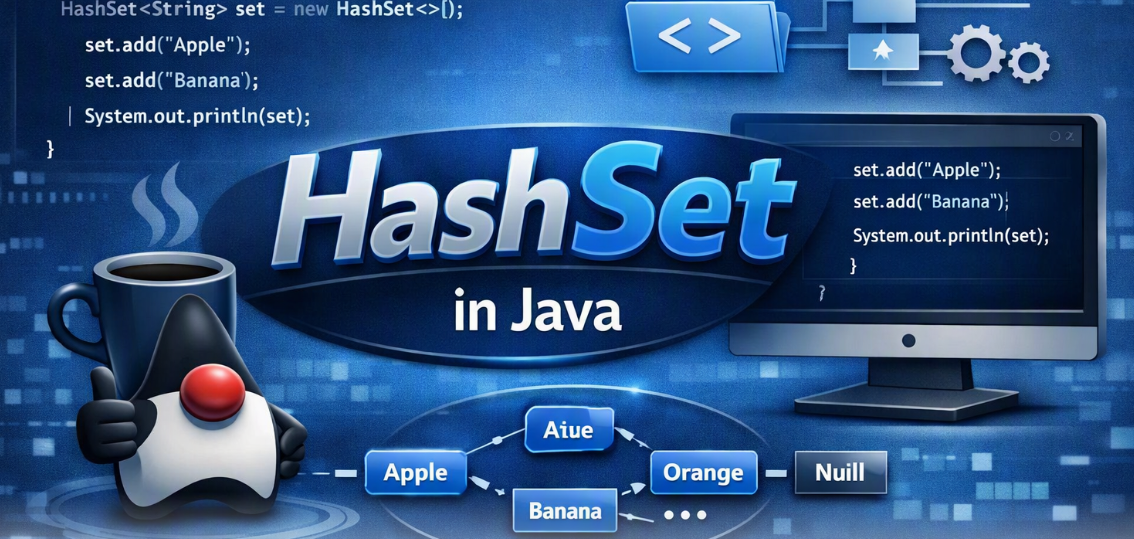
HashSet is a class in Java that implements the Set interface. It stores unique elements and does not guarantee insertion order.
Syntax:
HashSet<Type> set = new HashSet<>();
Example:
import java.util.HashSet;

public class Main {
    public static void main(String[] args) {
        HashSet<String> fruits = new HashSet<>();

        fruits.add("Apple");
        fruits.add("Banana");
        fruits.add("Apple");

        System.out.println(fruits);
    }
}
Output: The set contains Apple and Banana only. The order is not guaranteed.
2. Creating a HashSet
Creates an empty HashSet.
HashSet<Integer> numbers = new HashSet<>();
3. add()
Adds an element. Duplicate elements are ignored.
HashSet<Integer> numbers = new HashSet<>();
numbers.add(10);
numbers.add(20);
numbers.add(10);

System.out.println(numbers.size()); // 2
4. addAll()
Adds all elements from another collection.
HashSet<Integer> a = new HashSet<>();
a.add(10);
a.add(20);

HashSet<Integer> b = new HashSet<>();
b.add(30);

a.addAll(b);
System.out.println(a); // Contains 10, 20, 30
5. contains()
Checks whether an element exists.
HashSet<String> names = new HashSet<>();
names.add("Mani");

System.out.println(names.contains("Mani")); // true
6. remove()
Removes a specified element.
HashSet<Integer> numbers = new HashSet<>();
numbers.add(10);
numbers.add(20);

numbers.remove(10);
System.out.println(numbers); // Contains 20
7. size()
Returns the number of unique elements.
HashSet<Integer> numbers = new HashSet<>();
numbers.add(10);
numbers.add(20);

System.out.println(numbers.size()); // 2
8. isEmpty()
Checks whether the set is empty.
HashSet<Integer> numbers = new HashSet<>();

System.out.println(numbers.isEmpty()); // true
9. clear()
Removes all elements.
HashSet<Integer> numbers = new HashSet<>();
numbers.add(10);
numbers.add(20);

numbers.clear();
System.out.println(numbers.size()); // 0
10. Iterating a HashSet
Use an enhanced for loop to access elements.
HashSet<String> fruits = new HashSet<>();
fruits.add("Apple");
fruits.add("Mango");

for (String fruit : fruits) {
    System.out.println(fruit);
}
The iteration order is not guaranteed.
11. Duplicates in HashSet
HashSet does not allow duplicate elements.
HashSet<Integer> numbers = new HashSet<>();

numbers.add(10);
numbers.add(10);
numbers.add(20);

System.out.println(numbers.size()); // 2
12. Null Values in HashSet
HashSet allows one null element.
HashSet<String> names = new HashSet<>();

names.add(null);
names.add(null);

System.out.println(names.size()); // 1
13. HashSet with Integer Values
HashSet<Integer> numbers = new HashSet<>();

numbers.add(30);
numbers.add(10);
numbers.add(20);

System.out.println(numbers.contains(20)); // true
The elements are not automatically sorted.
14. Removing Duplicate Values from a List
HashSet can help remove duplicate elements from a list.
import java.util.*;

public class Main {
    public static void main(String[] args) {
        List<Integer> numbers =
                Arrays.asList(10, 20, 10, 30, 20);

        HashSet<Integer> uniqueNumbers =
                new HashSet<>(numbers);

        System.out.println(uniqueNumbers);
    }
}
Output: Contains 10, 20, and 30; order is not guaranteed.
15. HashSet vs ArrayList
| Feature | HashSet | ArrayList |
|---|---|---|
| Duplicates | Not allowed | Allowed |
| Order | Not guaranteed | Insertion order |
| Index-based access | Not supported | Supported |
| Search | Average O(1) | O(n) |
| Null values | One null |
Multiple null values |
16. HashSet vs LinkedHashSet vs TreeSet
| Feature | HashSet | LinkedHashSet | TreeSet |
|---|---|---|---|
| Duplicates | No | No | No |
| Order | No guaranteed order | Insertion order | Sorted order |
| Typical performance | Average O(1) | Average O(1) | O(log n) |
| Null support | One null |
One null |
Generally does not allow null with natural ordering |
17. Important HashSet Methods
| Method | Purpose |
|---|---|
add() |
Adds an element |
addAll() |
Adds elements from another collection |
contains() |
Checks an element |
remove() |
Removes an element |
size() |
Returns the number of elements |
isEmpty() |
Checks if empty |
clear() |
Removes all elements |
iterator() |
Creates an iterator |
toArray() |
Converts elements to an array |
removeAll() |
Removes matching elements |
retainAll() |
Keeps only matching elements |
containsAll() |
Checks whether all elements exist |
18. Time Complexity
| Operation | Average Time Complexity |
|---|---|
add() |
O(1) |
remove() |
O(1) |
contains() |
O(1) |
size() |
O(1) |
| Iteration | O(n) |
Note: HashSet operations can take O(n) in certain collision-heavy cases.
Conclusion
When Should You Use HashSet in Java?
HashSet is a Java Collection used to store unique elements without guaranteeing their order.
Key points to remember:
Duplicate elements are ignored.
One
nullelement is allowed.Index-based access is not supported.
add(),remove(), andcontains()typically take O(1) average time.Use
LinkedHashSetto preserve insertion order andTreeSetto maintain sorted order.